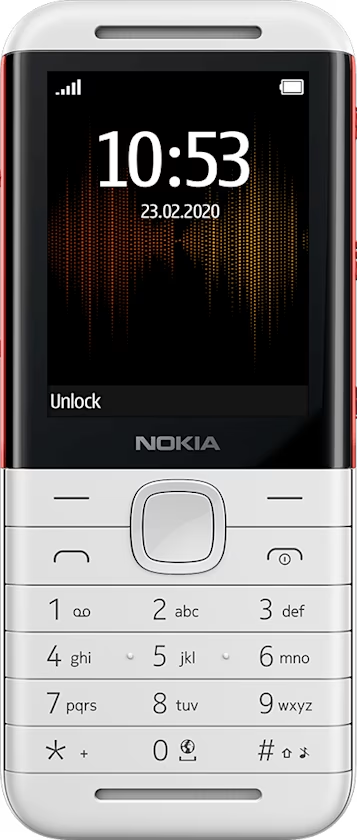
Nokia 5310 用戶指南
Skip to main content
Smartphones
Feature phones
Phones for kids
Tablets
Accessories
For business
Smartphones
Feature phones
Phones for kids
Tablets
Accessories
For business
About
Who we are
Newsroom
Blog
Repair, reuse, recycle
Self-repair
Device recycling
Sustainability
Support
International
所有裝置
選擇語言
下載
Nokia 5310 (2020)
選擇語言
下載
Set the time and date manually
You can set your phone clock manually.
Change the time and date
Select
Menu
>
>
Date and time
.
Switch
Auto-update time
to
Off
.
To set the time, select
Time
. Use the scroll key to set the time, and select
OK
.
To set the date, select
Date
. Use the scroll key to set the date, and select
OK
.
您認為這有幫助嗎?
是
否
實用連結
軟體更新
產品保固
開始使用
Keys and parts
Set up and switch on your phone
為手機充電
Keypad
Write text
通話、聯絡人和訊息
Calls
Contacts
Send messages
將電話個人化
Change tones
Change the look of your home screen
Profiles
Add shortcuts
Get the most out of the two SIM cards
相機
Photos and videos
網際網路和連線
Browse the web
Bluetooth®
音樂
Music player
Listen to radio
時鐘、日曆和計算機
Set the time and date manually
Alarm clock
Calendar
Calculator
清空電話
還原為原廠設定
產品和安全資訊
安全規定
緊急電話
維護裝置
回收
打叉附輪垃圾桶標誌
電池與充電器資訊
孩童
醫療設備
植入式醫療設備
聽力
保護您的裝置免於有害內容的危害
汽車
可能爆炸的環境
認證資訊
關於數位版權管理
Copyrights and other notices
Set Location And Language
Asia
Bahrain (Arabic)
Bahrain (English)
Chinese
India (English)
India (Hindi)
Indonesia
Iraq
Israel (Hebrew)
Jordan (Arabic)
Jordan (English)
Kazakhstan (Russian)
Kuwait (Arabic)
Kuwait (English)
Lebanon
Oman (Arabic)
Oman (English)
Pakistan
Philippines (English)
Qatar (Arabic)
Qatar (English)
Taiwan
United Arab Emirates (Arabic)
United Arab Emirates (English)
Vietnam
Europe
Austria
Belgium (Dutch)
Bulgaria
Croatia
Czech Republic
Denmark
Finland
France
Germany
Greece
Hungary
Ireland
Italy
Netherlands
Norway
Poland
Portugal
Romania
Russian Federation
Serbia (Serbian)
Slovenia
Spanish
Sweden
Switzerland (French)
Ukraine
United Kingdom
Africa
Egypt (Arabic)
Egypt (English)
Kenya
Morocco
Nigeria
Tunisia
International
English (International)